
Why Smartphone Storage Matters More Than You Think?
Most individuals don't worry about their phone's storage until they receive the dreaded "Storage Full" notification. However, smartphone storage is more than simply how many photographs or applications you can store; it also influences your phone's performance, access to new features, and even your digital security. Phones are little computers that continually process, store, and update information. Storage constraints have a negative impact on performance. Apps stop, updates fail, and even simple things like snapping a photo become cumbersome. Understanding the importance of storage and how to manage it effectively is no longer optional. It's necessary to keep your gadget working smoothly and securely every day.

What Happens When Your Phone Runs Out of Space?
Slower Performance and Frequent App Crashes
Phones require free space to perform background programs and temporary data. When space is limited, the operating system struggles to work efficiently. Apps may take longer to launch or stall entirely. Multitasking gets slow, and moving between programs begins to seem like a chore. Your phone may even restart randomly. This is not a problem; the gadget is attempting to free up memory. Streaming music, perusing the web, and utilizing maps might become irritating. When storage capacity reaches critical levels, performance difficulties can rapidly rise. That's why even newer phones with powerful CPUs can slow down when their memory is full. Maintaining a good buffer of free storage is critical for consistent performance and predictable app behavior.
Problems with Camera, Downloads, and Messaging
Running out of storage has a direct impact on regular operations such as taking images and receiving texts. Your camera app may refuse to open or store new images and videos. File downloads via browsers or email will either halt in the middle or never start. Messaging applications, particularly those that save photos or videos, such as WhatsApp, may cease accepting new material or fail to load old chats. Even simple tasks such as capturing a screenshot or saving an attachment become difficult. Notifications will stream in, informing you that your storage is full, but by then, fundamental phone functionality is usually limited. This can result in missed opportunities, lost material, and increased irritation, making storage management not only beneficial but also critically important.
Security Risks from Skipped Updates
Your smartphone can't install necessary updates from the manufacturer if it doesn't have adequate capacity. Critical security fixes that guard against malware, spyware, and data breaches are frequently included in these updates. Your phone becomes vulnerable without them. Because they are easier to attack, hackers frequently target obsolete systems. Additionally, certain programs become inoperable if they are not updated, forcing you to utilize outdated and sometimes dangerous versions. Ignoring updates reduces the potential of your phone because they also provide bug fixes and feature enhancements. You're unwittingly endangering your personal data if your smartphone frequently lags or fails to update because of full storage. Making room is not just practical; it's a crucial step in safeguarding your security and privacy.
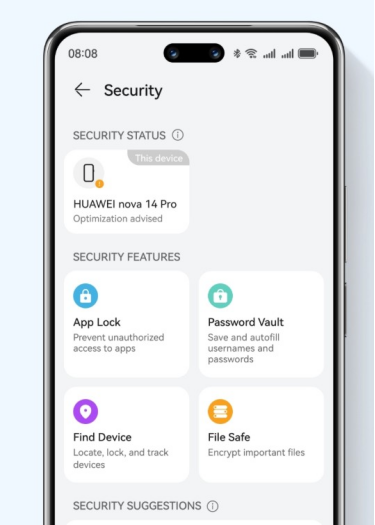
Tips to Manage Smartphone Storage Like a Pro
Remove Clutter and Identify Storage-Heavy Apps Fast
Begin by reviewing your phone's storage breakdown in Settings. It displays what is using up space—apps, photographs, system files, or cached data. Uninstall any software you no longer use, particularly games or huge utilities with repeated functionality. Clear app caches on a regular basis; they may quietly devour terabytes. Many phones also list applications by size; prioritize the largest ones first. Some applications retain hidden data even after deletion, so utilize a reliable cleanup program if necessary. Delete any outdated downloads, duplicate files, or useless documents from folders. If you're wondering about specific devices—like does huawei have google services—it's a good idea to check which apps are supported before installing. Regularly review your storage habits every few weeks. A tidy phone runs faster and stays safer. By actively managing your app data and removing clutter, you not only free up space but also improve the phone's overall performance.
Optimize Photos, Videos, and Offline Media
Media files are huge space hogs. Begin by going through your photo gallery and eliminating fuzzy or duplicate images. Save time by using built-in or third-party programs that recognize similar photos. Compress huge video files or transfer them to external storage. Consider lowering the camera resolution for casual photographs. Disable auto-downloads in chat applications to avoid filling your gallery with memes and GIFs. Check for offline material, such as Spotify downloads or Netflix episodes you've stopped watching. These files are frequently hidden yet take up a significant amount of storage space. Review what is saved offline on a regular basis and eliminate anything that is no longer needed. Organizing and organizing your media collection frees up space for new material and maintains your device's storage efficiency while preserving access to beloved memories.
Smart Ways to Use Cloud Backups and External Storage
Cloud services such as Google Photos and OneDrive provide simple solutions to backup and free local space. Enable auto-sync to ensure that fresh photographs and videos are automatically uploaded to the cloud. Once synchronized, safely remove the local copies. For documents, utilize Google Drive or Dropbox to store and distribute files without using up device storage. External storage devices, such as USB OTG drives or microSD cards (if enabled), are ideal for storing huge items like movies or music. Cloud and external storage function best when you establish rules for what stays on the device and what goes to backup. This intelligent data partition keeps your phone clean, quick, and safe, while also guaranteeing that crucial files are always available when needed.
Conclusion
Smartphone storage may appear to be a minor concern, but it has an impact on practically every aspect of your device, including speed and performance, security, and daily usage. Ignoring storage restrictions causes slowdowns, failed updates, and lost moments. However, you may avoid the clutter by taking proactive efforts such as deleting unnecessary programs, optimizing media assets, and using cloud solutions judiciously. Storage management is more than simply saving space; it is also about making sure your phone functions when you need it the most. Consider it a routine element of digital hygiene. A well-maintained phone not only performs better, but it also provides peace of mind whenever you pick it up to capture, share, or connect.


![PAU - [ Altern@tives-P@loises ]](http://website-google-hk.oss-cn-hongkong.aliyuncs.com/drawing/179/2022-3-2/21584.jpeg "PAU - [ Altern@tives-P@loises ]")

![Good deal: 15% bonus credit on App Store cards of €25 and more [completed] 🆕 | iGeneration](http://website-google-hk.oss-cn-hongkong.aliyuncs.com/drawing/179/2022-3-2/21870.jpeg "Good deal: 15% bonus credit on App Store cards of €25 and more [completed] 🆕 | iGeneration")





Related Articles